
You’ve booked the cylinder, got the confirmation, and now the waiting begins. Is it coming today? Tomorrow? Has the agency even started on it? Rather than calling the distributor three times a day, you can check exactly where your booking stands in under a minute.
This guide covers every way to check your booking status for Indane, HP Gas and Bharat Gas, what the different status messages actually mean, and how the delivery code at your door works.
What You Need Before You Check
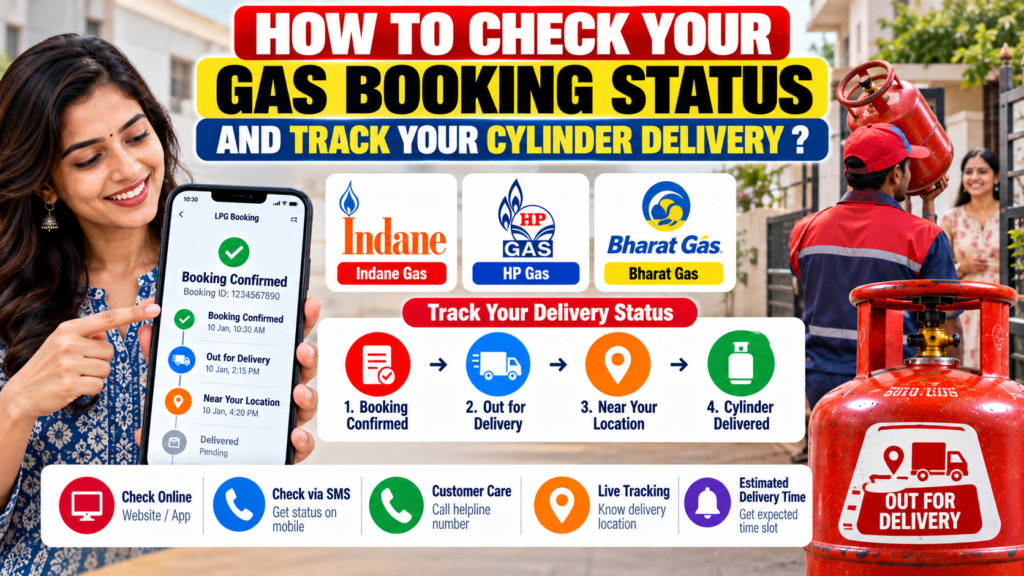
- Your booking or reference number. It’s in the confirmation SMS, WhatsApp chat or app screen you got when you booked.
- Your consumer number, printed on your cash memo.
- Your registered mobile number, since most methods recognise you from it, and OTPs go to it.
Lost the booking number? Don’t worry. The app or website will show your booking history anyway once you log in.
Ways to Check Your Booking Status
1. Your gas company’s app
The quickest and most detailed option. Log in and open your booking or order history.
- Indane: IndianOil ONE app
- HP Gas: HP Pay app
- Bharat Gas: Hello BPCL app
2. The company website
Log in to your company’s LPG portal and look for your order or booking history:
- Indane: cx.indianoil.in, under “View Order History”
- HP Gas: myhpgas.in
- Bharat Gas: my.ebharatgas.com
Useful when you’re checking on a booking for your parents from your own laptop.
3. WhatsApp
The same WhatsApp chat you book through can usually show your booking status too. Send “Hi” from your registered number and look for the status option in the menu:
- Indane: 75888 88824
- HP Gas: 92222 01122
- Bharat Gas: 1800 22 4344
4. IVRS phone call
If you don’t use a smartphone, the booking IVRS numbers can help too. Indane’s IVRS on 77189 55555 lets you track a booking with your consumer number and booking reference number. HP Gas and Bharat Gas customers can try their own IVRS numbers, 88888 23456 for HP and 77150 12345 or 77180 12345 for Bharat Gas, and follow the voice menu.
5. Customer care or your distributor
You can always call the LPG toll-free helpline, 1800 2333 555, or your distributor’s number from your cash memo. Keep your consumer number and booking reference number ready, because that’s the first thing they’ll ask for.
What the Status Actually Means
The exact wording varies a little between companies, but a booking usually moves through these stages:
| Status | What it means |
|---|---|
| Booked | Your request has been accepted and is in the distributor’s queue. |
| Cash memo generated / Invoiced | The distributor has created your bill and assigned a cylinder to your booking. Delivery usually follows soon. |
| Delivered | The cylinder has been marked as handed over to you. |
| Cancelled | The booking was cancelled, by you, by the system, or by the distributor. |
Once the cash memo is generated, you’ll usually get an SMS with the memo details and your delivery code. That’s the signal that your cylinder is on its way.
The Delivery Code at Your Door
The oil companies introduced a Delivery Authentication Code (DAC) in 2020 to make sure cylinders reach the right customer. It’s a short code sent by SMS to your registered mobile number. When the cylinder arrives, you tell the code to the delivery person, and the delivery is confirmed only once it matches.
It’s now almost universal. According to the government, DAC-based deliveries rose from 53 per cent in February 2026 to 90 per cent by early April 2026, as part of an effort to stop cylinders being diverted at the distributor level.
Rules for using it safely
- Share it only at the door, with the cylinder physically in front of you.
- Never give it over the phone, even if the caller says they’re the delivery person and just need it “to close the order”.
- Check the cylinder first. Seal intact, test date on the collar not overdue, no smell of gas. Then share the code.
A code shared early lets someone mark your cylinder as delivered without you ever getting it.
If the code doesn’t arrive
Check your SMS spam or blocked folder first. Some phones filter these messages automatically. If it’s genuinely not there, contact your distributor before the delivery person arrives, so the delivery isn’t held up at your door.
How Long Should Delivery Take?
In most cities, a refill usually arrives within a few days of booking. It can take longer in rural areas, around festivals, and whenever supply is tight, as it was for a while in 2026.
If your status has been stuck on “Booked” for much longer than usual, or a promised delivery date has come and gone, that’s the time to follow up. Start with your distributor, then the helpline.
When the Status Doesn’t Look Right
Stuck on “Booked” for days
Call the distributor with your booking number and ask when the cash memo will be generated. Deliberately delaying refills against a valid booking is against the oil companies’ rules for distributors, so a polite, specific follow-up usually moves things along.
Shows “Delivered”, but you haven’t received it
Act the same day. Complain to your distributor and on the helpline 1800 2333 555, with your booking number, and state clearly that you didn’t receive the cylinder or share your delivery code. The sooner you report it, the easier it is to trace.
Shows “Cancelled” and you didn’t cancel it
Ask the distributor why. A common reason is that the booking was placed too soon after your last refill. Domestic connections currently need a gap of 25 days in most urban areas and 45 days in rural areas between refills.
You can’t find your booking at all
It probably never went through. Check your app’s booking history. If it’s not there, book again.
Quick Answers
How can I check my Indane gas booking status?
In the IndianOil ONE app, on cx.indianoil.in under order history, on WhatsApp at 75888 88824, or by calling 77189 55555.
What does “cash memo generated” mean?
Your bill has been created and a cylinder assigned to your booking. Delivery usually follows soon.
What is the DAC code for LPG?
The Delivery Authentication Code, a short code sent to your registered mobile. You share it with the delivery person when you receive the cylinder.
Can someone else receive the cylinder for me?
Yes, if they have the delivery code. Just share the code with them only when you know the cylinder has actually arrived.
My booking shows delivered but I didn’t get it. What do I do?
Complain to the distributor and on 1800 2333 555 the same day, with your booking number.
Know Where Your Cylinder Is
Keep the booking confirmation, check the status in your app or on WhatsApp instead of guessing, and treat the delivery code like a PIN: it belongs at your door and nowhere else. That alone prevents most of the delivery problems people run into.
The government’s update on delivery authentication is on News On AIR. If your status shows something not covered here, tell us what it says, and we’ll add it.

Pratham Shetty is an SEO Expert for Websites , Blogs and Apps and has been working in this field since 2020 . He has developed many Blogs and apps and one of the LPG gas booking apps crossed 25k+ Organic downloads in few Months . You can Search LPG Gas Boooking app by Classic Avenue and enjoy the app.
1 thought on “How to Check Your Gas Booking Status and Track Your Cylinder Delivery”