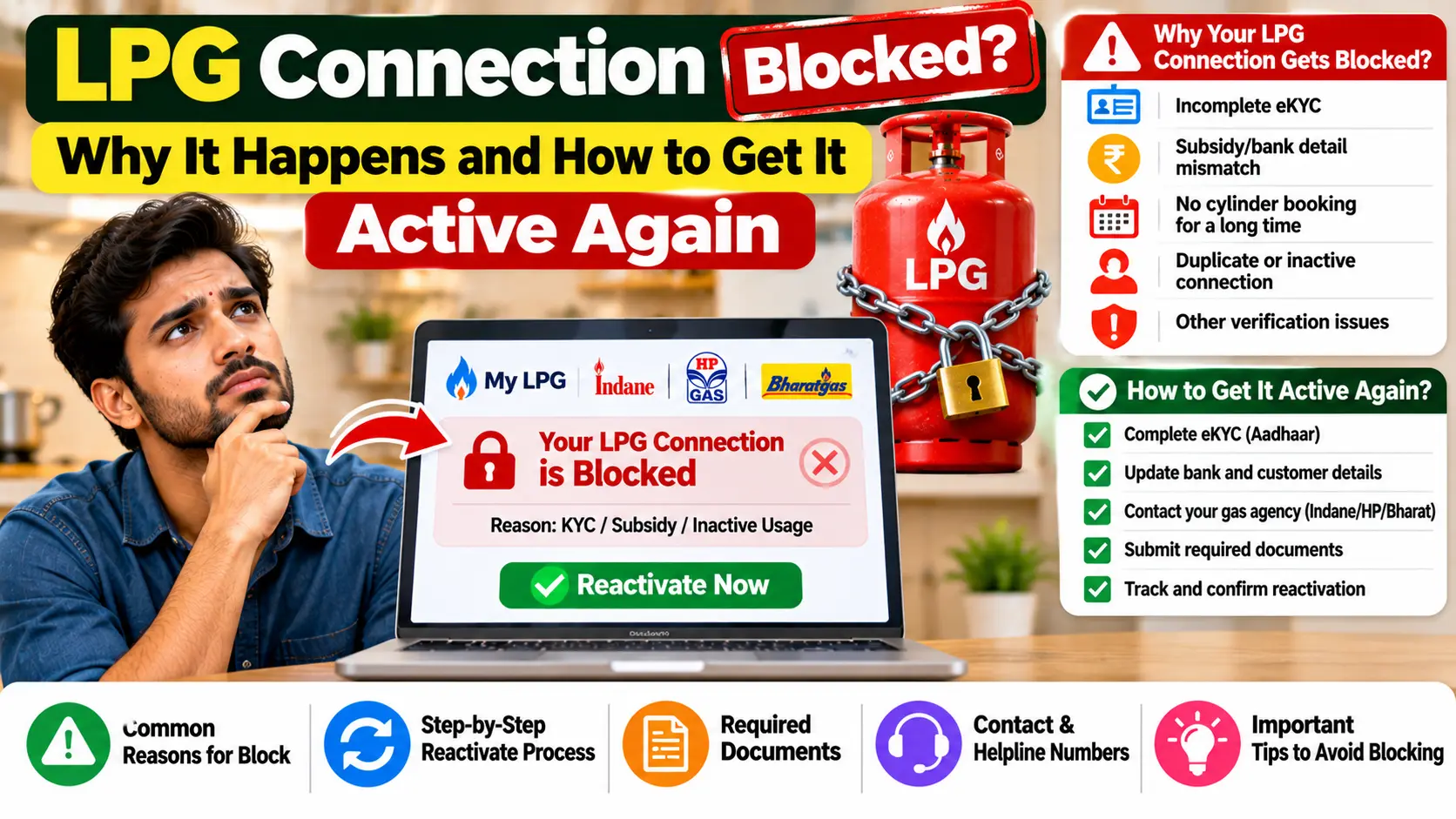
It always seems to happen on the worst possible day. The cylinder is almost empty, you open the app or call the booking number, and instead of a booking confirmation you get a message saying your connection is blocked, suspended or “not eligible for booking”. No warning, no explanation, and a kitchen that will run out of gas in a few days.
If this has happened to you, you’re far from alone. In 2026, a series of new checks on LPG connections, from Aadhaar authentication to duplicate detection to the push towards piped gas, has left lakhs of households looking at the same message. In Bihar alone, around 34 lakh connections with pending eKYC started getting blocked from 1 October, according to a local news report.
Do Read – Today’s LPG Gas Cylinder Price in India
Here’s the good news. A blocked connection is almost never a closed one. In most cases, it comes back as soon as you fix the reason behind the block. This guide walks you through every common reason, how to find out which one applies to you, and exactly what to do next.
The Short Version
- A blocked connection is usually paused, not cancelled. In most cases, you don’t need a new connection.
- The most common reason right now is pending biometric Aadhaar authentication, usually called eKYC.
- Other common reasons are a duplicate connection in the household, an active PNG connection at the address, and no refill for many months.
- Your distributor can tell you the exact reason. Start there.
- Getting a connection unblocked is free. Nobody needs to be paid to “activate” it.
First, Check Whether It’s Really Blocked
Some booking problems look like a block but aren’t. Rule these out before you take a day off work to visit the agency:
| What you see | What it usually means | What to do |
|---|---|---|
| Booking rejected as too early | Less than 25 days have passed since your last refill. Since 7 September 2026, this gap applies to all domestic consumers. | Wait until the gap is over, then book again. |
| IVRS or WhatsApp doesn’t recognise you | You’re calling or messaging from a number that isn’t registered on your connection. | Use your registered number, or get your number updated. |
| App asks for authentication, or shows a higher price | Your eKYC is pending. | Complete biometric Aadhaar authentication. |
| App freezes or payment page won’t load | A technical glitch. | Try again later, or use another booking method. |
| Message clearly says blocked, suspended or inactive | A real block. | Read on. |
The Main Reasons Connections Get Blocked
1. Your eKYC isn’t done
This is the big one right now. The petroleum ministry announced on 19 September 2026 that from 1 October 2026, domestic LPG consumers need to have completed biometric Aadhaar authentication to book refills at the subsidised rate. By then, about 27.43 crore consumers, close to 90 per cent, had done it. Most of the remaining 10 per cent are the ones running into blocked bookings now.
Do Read – PNG Gas Leak: What to Do Immediately, Emergency Numbers
What the rule means for you:
- Booking at the regulated, subsidised price is switched on only after authentication.
- If you don’t or can’t authenticate, you can still get LPG, but at the market price without any subsidy. The ministry has said this supply may come in 5 kg or 10 kg cylinders, depending on local availability.
- You don’t need a new connection. According to reports, the oil companies have said such connections are reactivated once eKYC and verification are complete.
How to fix it:
- At home: use your gas company’s app (IndianOil ONE, HP Pay or Hello BPCL) along with UIDAI’s Aadhaar FaceRD app, which handles face authentication.
- At your distributor’s office: go with the connection holder and their Aadhaar card, and the staff will do it at the counter.
- At your door: delivery staff can also do it with a fingerprint scanner when a cylinder is being delivered to you.
Keep these points in mind:
- It has to be the connection holder’s own face or fingerprint. Someone else can help with the phone, but can’t authenticate on their behalf.
- If your Aadhaar name doesn’t match the name on your connection, authentication can fail. Get the name corrected first.
- If you authenticated earlier, you don’t need to do it again. Check the status in your app before doing anything.
2. There’s a duplicate connection in your household
The rule is one household, one connection. Under the LPG Control Order, a household means husband, wife, unmarried children and dependent parents, living together and cooking in a common kitchen. If the system finds two connections in the same household, one can be blocked.
These checks are far more thorough than most people realise:
- The government’s Common LPG Database Platform matches connections across all three companies using Aadhaar numbers, bank details and ration cards.
- In August 2025, the government told the Rajya Sabha that over 4.08 crore connections had been blocked, suspended or deactivated for duplication or ineligibility, as of 1 July 2025.
- HP Gas says the oil companies identify multiple connections from time to time and publish lists of suspect cases on their websites.
How to fix it:
- If you really do have two connections: keep one and surrender the other. HP Gas’s advice is that extra connections should be surrendered immediately. You get back the deposit on the surrendered connection, and if you wanted two cylinders, you can ask for a second cylinder on the connection you keep.
- If you’ve been flagged by mistake: for example, two separate families with separate kitchens at the same address. HP Gas asks such consumers to submit a KYC form to their distributor, with ID and address proof showing that the households are different. Expect the distributor to verify it, possibly with a visit to your home.
3. Your home has an active PNG connection
Since March 2026, a household with piped natural gas isn’t allowed to keep a domestic LPG connection. The oil companies and the city gas companies have linked their databases, and since May 2026, households identified with an active PNG connection have been blocked from booking domestic LPG refills.
Do Read – PNG Price Today: City-Wise Domestic PNG Rate per SCM
How to fix it:
- If you do have PNG: this block won’t be lifted. Apply to close your LPG connection within 30 days of getting PNG and take your deposit back, or take a transfer voucher so you can restore LPG later if you move to an area without piped gas. You can start this online on the MyPNG-D portal, mypngd.in.
- If you don’t have an active PNG connection: perhaps a previous occupant had one, or your building has a pipeline but your flat was never connected. Tell your distributor, and show whatever proof you have from the gas company.
There’s one more PNG rule worth knowing. In an area where piped gas is available, if the gas company writes to you, by registered or speed post, inviting you to apply for PNG and you don’t, your LPG supply may stop three months after that letter.
4. You haven’t taken a refill for months
A connection that hasn’t been used for a long time can be marked inactive. In March 2026, news reports said the oil companies had told distributors not to process refill requests from connections with no booking for more than nine months, until the consumer updated their KYC at the distributor’s office. Later reports said households whose last refill was booked before June 2025 were being flagged as possibly inactive.
The idea is to confirm that the connection is still being used by a genuine household, and isn’t lying unused or being misused.
How to fix it:
- Visit your distributor in person, ideally with the connection holder.
- Carry ID proof, address proof, your SV or consumer card, and a passport-size photo.
- Update your KYC, and complete eKYC if it’s still pending.
- If your address has changed, bring proof of the new one too.
- Some distributors may ask you to fill in a short form explaining why you didn’t take refills. Be honest. Living abroad, staying with family or using another fuel for a while are all ordinary reasons.
5. Your details don’t match, or are wrong
A connection can also run into trouble when the details on record don’t line up:
- The name on the connection doesn’t match the name on Aadhaar, so eKYC keeps failing.
- The connection is still in the name of someone who has passed away, so nobody can authenticate it.
- Your KYC documents are very old or incomplete.
- Information given when the connection was taken turns out to be incorrect. IndianOil’s Citizen’s Charter is clear that in such a case, the connection shall be cancelled.
How to fix it:
- Get the name on the connection corrected, with your ID proof and an official record of the change, such as a marriage certificate.
- If the holder has passed away, get the connection transferred to a family member, then complete eKYC in the new holder’s name.
- Submit fresh KYC documents at the distributor’s office.
6. It’s an Ujjwala connection
Ujjwala (PMUY) connections go through extra checks. According to the government, 8.49 lakh PMUY connections had been terminated through de-duplication since the scheme began, and about 12,000 inactive PMUY connections were terminated under a procedure issued in January 2025. Every new PMUY consumer now goes through biometric authentication before the connection is released.
If your Ujjwala connection is blocked, go to your distributor with your Aadhaar card, ration card and bank details, and complete eKYC first. Your ₹300 subsidy on the first four refills of the year depends on it as well.
7. A domestic cylinder is being used for business
Domestic cylinders are only for household cooking. Using one in a shop, dhaba or any business is illegal, and one stated aim of biometric authentication is to stop subsidised domestic cylinders being diverted to commercial use. If you run a small business, use a commercial cylinder or a 5 kg FTL cylinder, so your household connection never comes under question.
How to Find Out Why Your Connection Is Blocked
- Save the exact message. Take a screenshot of the app, website or WhatsApp screen.
- Check your company’s app. Look at your eKYC status, your registered mobile number and your connection details.
- Ask your distributor. Call or visit with your consumer number, and ask for the specific reason and what they need from you.
- Call the helpline if the distributor can’t help: 1800 2333 555, or raise a complaint in your company’s app.
Push for a clear answer. “Your connection is blocked” isn’t a reason. “Your eKYC is pending” or “your connection is flagged as a duplicate” is something you can act on.
Step by Step: Getting Your Connection Active Again
- Find the reason, using the steps above.
- Gather your documents from the checklist below.
- Visit the distributor with the connection holder. Many fixes, like KYC updates and eKYC, need the holder in person.
- Submit what’s asked: a KYC form, eKYC, a declaration, or the surrender of an extra connection.
- Get an acknowledgement or a complaint number. Don’t leave with only a verbal promise.
- Check your status in the app a day or two later, and try booking.
- Escalate if it’s stuck: the helpline or your company’s app, then the company’s grievance officers, and finally CPGRAMS, the government’s grievance portal at pgportal.gov.in.
Documents to Carry
- The connection holder’s Aadhaar card
- Address proof, especially if you’ve moved
- Your Subscription Voucher (SV), or a declaration of loss if it’s missing
- Your Domestic Gas Consumer Card, if you have it
- Your last cash memo, which has your consumer number
- Your registered mobile phone, for OTPs
- A passport-size photograph
- If the holder has passed away: the death certificate and proof that you’re a legal heir
- If you’re flagged as a duplicate: proof that the households are separate
- If you’re flagged for PNG: anything from the gas company showing your flat has no active PNG connection
Can a Closed Connection Be Brought Back?
A blocked connection is one thing. A terminated one is another. Here’s where you stand:
- Closed after switching to PNG, with a transfer voucher: you can use the voucher to restore LPG later in an area without piped gas, without paying a fresh deposit.
- Surrendered with a Termination Voucher: HP Gas says the voucher is valid for one year and lets you reconnect elsewhere by paying the same deposit amount.
- Cancelled as a duplicate or for wrong information: ask your distributor about your options. If it can’t be restored, a fresh application is the route, as long as nobody else in the household has a connection.
How to Keep Your Connection From Being Blocked
- Complete eKYC, and check that your app shows it as done.
- Keep your registered mobile number up to date.
- Keep only one connection per household, and surrender any extra one.
- If you switch to PNG, close your LPG connection within 30 days.
- Tell your distributor when you move, and update your address.
- If you’ll be away for months, let your distributor know before you go.
- Make sure the connection is in the name of someone who actually lives in the house.
Beware of “Your Connection Will Be Blocked Today” Calls
Every new rule brings a fresh wave of fraud calls. Keep these in mind:
- eKYC is free, and so is unblocking. Anyone asking for money is not from your gas company.
- Never share an OTP over the phone, whoever the caller claims to be.
- Never install an app from a link sent by SMS or WhatsApp. Use the official app store.
- When in doubt, call your distributor yourself, using the number on your cash memo.
Quick Answers
Why is my LPG connection blocked?
Most often because eKYC is pending. Other common reasons are a duplicate connection in the household, an active PNG connection, a long gap without refills, or details that don’t match.
Do I need a new connection if mine is blocked?
Usually not. Once the reason is fixed, the same connection is reactivated.
Can I get gas without eKYC?
Yes, but at the market price without subsidy, and possibly in 5 kg or 10 kg cylinders, depending on local availability.
I have PNG. Can my LPG connection be unblocked?
No. Under the 2026 rules, you should close it within 30 days of getting PNG, or take a transfer voucher.
How long does reactivation take?
It depends on the reason. Check your app a day or two after completing the step your distributor asked for, and follow up if nothing changes.
Do I have to pay to get my connection unblocked?
No. KYC updates and eKYC are free.
Do Read – How to Update Your Mobile Number and Address on Your LPG Connection
Blocked Isn’t Closed
A “connection blocked” message feels alarming, but in most cases it’s simply the system asking you to confirm something: who you are, where you live, or whether you still need the connection. Find the reason, take the connection holder and the right documents to your distributor, and get an acknowledgement for whatever you submit. For most families, that’s all it takes to get the gas booking again.
The government’s announcement on biometric Aadhaar authentication for LPG is on PIB. If your connection was blocked for a reason not covered here, tell us what the message said, and we’ll add it to this guide.

Pratham Shetty is an SEO Expert for Websites , Blogs and Apps and has been working in this field since 2020 . He has developed many Blogs and apps and one of the LPG gas booking apps crossed 25k+ Organic downloads in few Months . You can Search LPG Gas Boooking app by Classic Avenue and enjoy the app.
1 thought on “LPG Connection Blocked? Why It Happens and How to Get It Active Again”